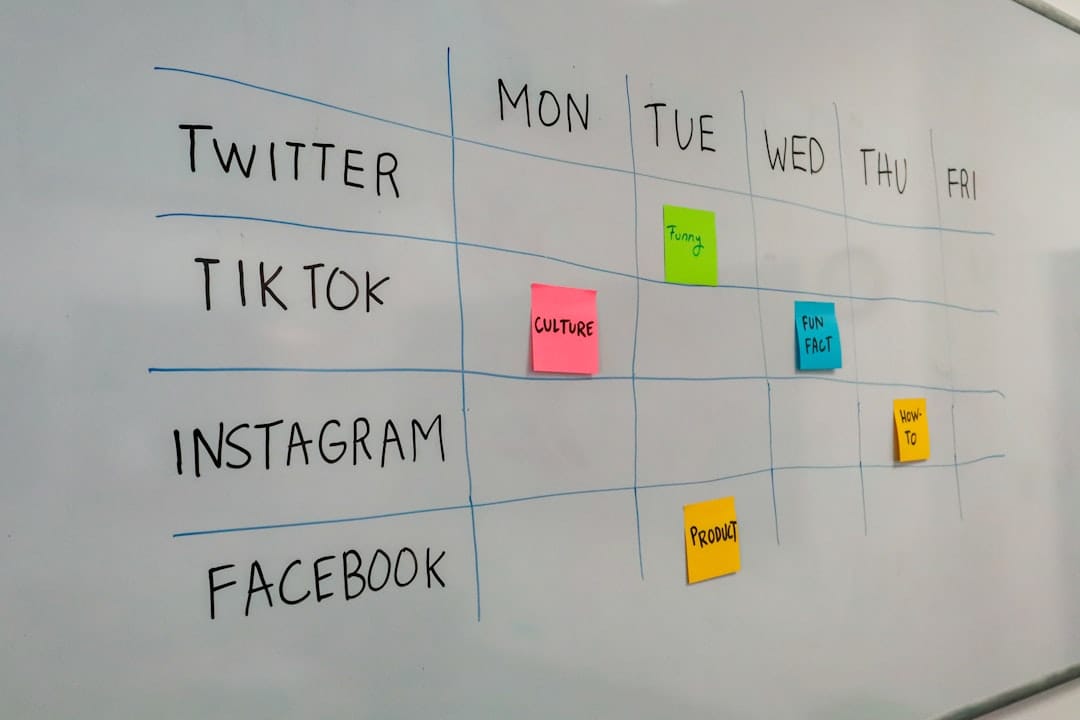
How to Use AI for Social Media Scheduling in 2026
Social media scheduling can consume hours of your day, but AI-powered tools are revolutionizing how marketers and business owners manage their online presence. By leveraging artificial intelligence for social media scheduling, you can automate content distribution, optimize posting times, and maintain consistent engagement across multiple platforms without the manual labor.
The right AI scheduling tool doesn’t just post your content—it analyzes your audience behavior, suggests optimal posting times, and even helps create engaging captions that drive results.
Why It Matters Now
Traditional scheduling tools simply post your content at predetermined times. AI-powered scheduling platforms go several steps further by learning from your audience’s behavior patterns and adjusting strategies in real-time.
Modern AI scheduling tools analyze engagement data, competitor activity, and trending topics to optimize your content performance. This means higher reach, better engagement rates, and more efficient use of your marketing budget.
The automation capabilities free up valuable time for strategy development and creative work. Instead of spending hours manually posting across platforms, you can focus on high-level marketing decisions while AI handles the tactical execution.
Step-by-Step Setup Guide
1. Choose Your AI Scheduling Platform
Start by selecting a platform that matches your needs and budget. Consider factors like supported platforms, AI capabilities, team collaboration features, and pricing structure.
Popular options include:
- Buffer for simplicity and reliability
- Hootsuite for enterprise-level features
- Later for visual content optimization
- Sprout Social for comprehensive analytics
2. Connect Your Social Media Accounts
Link all your social media profiles to centralize management. Most AI scheduling tools support major platforms including Facebook, Instagram, Twitter, LinkedIn, TikTok, and Pinterest.
Ensure you grant appropriate permissions for posting, analytics access, and audience insights. This data feeds the AI algorithms that optimize your scheduling strategy.
3. Set Up Content Categories and Themes
Organize your content into categories like promotional posts, educational content, behind-the-scenes, user-generated content, and industry news. This helps the AI understand your content mix and maintain proper balance.
Related reading: automating business processes
Related reading: AI Instagram growth strategies
Define your brand voice and content themes. AI tools use this information to suggest posting schedules and even generate captions that align with your brand personality.
Related reading: improving customer experience
Related reading: AI brand management tools
4. Upload and Organize Your Content
Bulk upload your visual content, videos, and copy into the platform’s content library. Use consistent naming conventions and tags to help the AI categorize your content effectively.
Pro tip: Create content batches for different campaign types or seasonal promotions. This allows the AI to distribute related content strategically over time.
5. Enable AI-Powered Optimal Timing
Activate the AI scheduling features that analyze your audience’s online behavior. These algorithms identify when your followers are most active and likely to engage with your content.
Most platforms offer “best time to post” recommendations based on historical performance data and audience analytics. Let the AI handle timing while you focus on content quality.
6. Set Up Automated Content Suggestions
Configure AI features that suggest hashtags, captions, and even content ideas based on trending topics and your industry. This helps maintain a consistent posting schedule even when you’re running low on ideas.
Some advanced tools can automatically generate variations of your posts for different platforms, optimizing format and messaging for each channel’s unique audience.
7. Monitor and Adjust AI Recommendations
Review the AI’s performance suggestions weekly. Look at engagement rates, reach metrics, and audience growth to validate that the automated scheduling is meeting your goals.
Fine-tune the AI settings based on performance data. If certain content types or posting times consistently underperform, adjust the algorithms or override specific recommendations.
Key Things to Look For in AI Scheduling Tools
Advanced Analytics and Insights
Look for platforms that provide detailed performance analytics beyond basic engagement metrics. The best AI tools offer predictive insights about optimal content types, posting frequency, and audience preferences.
Quality analytics help you understand which AI recommendations are driving results and which need adjustment.
Multi-Platform Optimization
Choose tools that understand the unique requirements of each social media platform. Platform-specific optimization ensures your content appears correctly and performs well whether it’s a LinkedIn article or Instagram Story.
The AI should automatically adjust image dimensions, caption lengths, and hashtag strategies for each platform.
Content Creation Assistance
Advanced AI scheduling tools now include content generation features like caption writing, hashtag suggestions, and even basic graphic design capabilities.
These features help maintain consistent posting schedules even when you’re experiencing creative blocks or time constraints.
Team Collaboration Features
If you work with a team, prioritize tools with approval workflows, role-based permissions, and collaborative content creation features. Team-friendly AI tools streamline the content approval process while maintaining scheduling efficiency.
Integration Capabilities
Select platforms that integrate with your existing marketing stack, including CRM systems, email marketing tools, and analytics platforms. Seamless integrations provide holistic campaign management and better ROI tracking.
Common Mistakes to Avoid
Over-automating your social presence can make your brand feel robotic. Balance AI scheduling with real-time engagement and spontaneous content that shows your human side.
Don’t ignore the AI’s learning period. Most algorithms need 2-4 weeks of data to provide accurate optimization recommendations. Be patient with initial performance while the system learns your audience.
Failing to review and update your AI settings regularly leads to stale strategies. Social media trends change quickly, and your AI tools need periodic adjustments to stay effective.
Avoid scheduling too far in advance without review mechanisms. While AI can optimize timing, current events and trending topics might require last-minute content adjustments.
Frequently Asked Questions
How much does AI social media scheduling cost?
Most AI-powered scheduling tools range from $15-50 per month for small businesses, with enterprise solutions starting around $100+ monthly. Buffer starts at $6/month, Hootsuite at $49/month, and Later offers a free plan with limited AI features.
Can AI scheduling tools create content for me?
Modern AI scheduling platforms include content generation features like caption writing, hashtag suggestions, and basic image editing. However, they work best when supplementing human creativity rather than replacing it entirely.
Which social media platforms work with AI scheduling?
Most AI scheduling tools support major platforms including Facebook, Instagram, Twitter, LinkedIn, Pinterest, TikTok, and YouTube. Coverage varies by provider, so verify your preferred platforms are supported before purchasing.
How long does it take to see results from AI scheduling?
You’ll typically see optimization improvements within 2-4 weeks as the AI learns your audience patterns. Significant engagement increases often occur within 30-60 days of consistent use and proper configuration.
Final Verdict
AI-powered social media scheduling transforms time-consuming manual posting into an automated, optimized process that delivers better results with less effort. The technology has matured enough to provide genuine value through intelligent timing optimization, content suggestions, and performance insights.
Start with a tool that matches your current needs and budget—even basic AI scheduling features can significantly improve your social media efficiency. As you grow comfortable with the technology, you can explore more advanced features like automated content creation and predictive analytics.
The key to success lies in treating AI as a powerful assistant rather than a complete replacement for human strategy and creativity. Use these tools to handle the tactical execution while you focus on building meaningful connections with your audience.